Difficult Conversations Over Video: 7 Easy Steps to Succeed
Your laptop is open, the camera light is on, and you have to say something you would rather not say. Difficult conversations over video are now a normal part of work and family life, whether you are fixing a misunderstanding, giving tough feedback, or talking with a parent who lives far away. The screen adds distance, delays, and small technical problems that can turn a tense moment into a messy one. The good news is that you can prepare for it. With a clear plan, a calm tone, and a few smart habits, you can keep the talk respectful and honest, even through a camera. This guide walks you through seven simple steps, from setting up your space to following up afterward.
Why Difficult Conversations Over Video Feel Harder
In a room, you read people without thinking. You notice a sigh, a shift in a chair, a hand reaching for a tissue. Video takes much of that away. People shrink into small boxes, sound can lag, and a frozen screen can look like anger or boredom. You also see your own face, which can make you self-conscious and pull your attention away from the other person. Long days on video calls add to the strain, so everyone has less patience than usual. None of this means a hard talk is impossible online. It just means you must replace the signals you lost with clearer words, better timing, and more care. If you want to dig deeper, our guide on Video Call Etiquette: Dos and Don'ts for Remote Meetings covers this in more detail.
Step 1: Handle Your Video Call Privacy Setup First
Before you say a word about the hard topic, make sure the conversation is truly private. A sensitive talk loses its trust fast if a family member walks in or a message pops up on a shared screen. Good video call privacy setup takes only a few minutes. Check these basics before you start:
- Choose a quiet room with a door you can close, and use headphones so no one else hears the other person.
- Close other tabs, mute notifications, and stop any screen sharing you do not need.
- Use a plain or blurred background if your space shows personal items.
- Turn off recording, or ask for clear permission first if a record is needed.
- Check that your link is not public and that no uninvited guest can join.
Tell the other person if you are in a private space. It signals respect and helps them relax.
Step 2: Follow Virtual Meeting Etiquette From the Start
Good virtual meeting etiquette protects the mood before the hard part begins. Do not ambush anyone. Send a short invitation that says you want to talk about something important, and let the person pick a time that suits them if possible. Avoid late Friday slots or the minutes before another big meeting. Join a few minutes early, test your sound and camera, and put your phone away. Ask at the start if they can see and hear you well, and if they are in a place where they can speak freely. This small check matters a lot in difficult conversations over video, because a person who feels trapped or distracted cannot listen well. Keep your camera on if you can, and say clearly if your connection is weak.
Step 3: Plan Your Words for Delivering Bad News Remotely
Delivering bad news remotely works best when you are direct and kind at the same time. Write down your main message beforehand, in one or two simple sentences. Then say it early, within the first minute or two. A long warm-up only makes people anxious, and on a screen that silence feels even longer. You might say, “I have difficult news, and I want to tell you clearly.” Then state the facts, explain the reason if you can, and pause. Do not hide behind vague phrases or jargon. Avoid blaming and avoid over-apologizing. After you share the news, give the person space to react, even if the quiet feels uncomfortable. Be ready to say what happens next, and what you do not yet know. This connects closely with another common issue — see How to Avoid Meeting Overload When Working Remotely for more on that.
Step 4: Watch Your Video Call Body Language
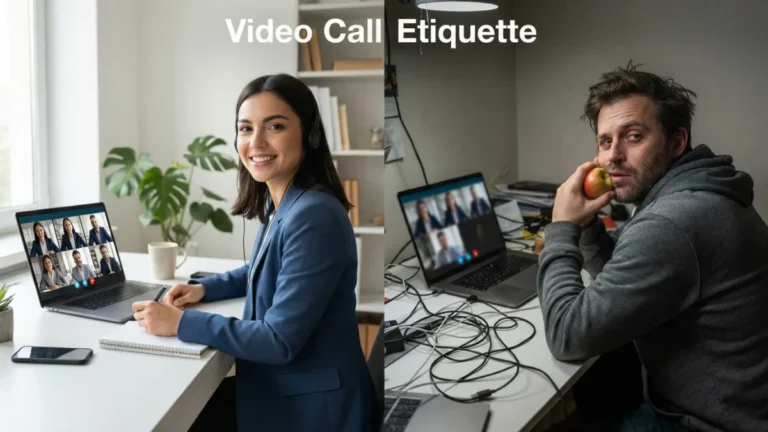
Video call body language is smaller than in person, so every signal counts. Place your camera at eye level and look at the lens now and then, not only at the face on your screen. Sit upright but relaxed, and keep your hands visible when you can. A gentle nod shows you are following, while looking away, typing, or crossing your arms can feel cold. Smile only if it fits the moment; a fake smile during sad news hurts trust. Read the other person’s nonverbal communication too, but do not guess too much. A blank face may be a bad connection, not anger. When in doubt, ask, “How are you feeling about what I just said?”
Step 5: Practice Active Listening Online
Active listening online takes more effort than in a room, because delays and muted microphones make people talk over each other. Let the other person finish, then wait one or two seconds before you answer. Use short spoken cues like “I see” or “go on,” since a silent nod can look like a frozen picture. Repeat the main point in your own words: “So you feel the deadline was never clear. Is that right?” This shows you heard them and gives them a chance to correct you. Do not check email or glance at other windows. If the connection drops, say what you last heard and ask them to continue. The goal is understanding, not winning the argument.
Step 6: Focus on Managing Emotions on Camera
Managing emotions on camera starts before you click “join.” Take a few slow breaths, relax your shoulders, and remind yourself of your goal. If the conversation becomes heated, slow your speech and lower your voice. It is fine to say, “I need a moment,” and turn off your camera or mute for a minute. Tears and anger can happen, and you do not need to hide them completely, but you can choose how to express them. If the other person gets upset, stay calm and name what you see: “I can tell this is hard.” Offer a short break or a second call later. In difficult conversations over video, a pause is often the most useful tool you have.
Step 7: Plan Your Post Conversation Follow Up
A post conversation follow up turns a hard talk into real progress. Without a person in front of you, details can fade or be remembered differently, so put the key points in writing soon after the call. Send a short, friendly message within a day. It can include: You might also find our article on Remote Meeting Agenda Templates: 7 Proven Ways to Save Time helpful here.
- A thank-you for their time and honesty.
- A brief summary of what you both agreed on.
- Any next steps, with names and dates.
- An offer to talk again or answer questions.
Then check in a few days later, especially if the news was heavy. A simple “How are you doing?” shows you care about the person, not only the outcome. Keep your promises, because trust is built in the days after the call.
Remote Conflict Resolution: When the Talk Becomes a Dispute
Sometimes the hard conversation is not about news but about a clash between two people. Remote conflict resolution needs extra structure, because small misunderstandings grow fast on screen. Start by agreeing on the goal: you both want to solve the problem, not defeat each other. Let each person explain their view without interruption, and focus on actions and effects, not on character. Use “I” statements, such as “I felt left out of the decision.” If you are stuck, move from positions to needs and look for a small step you can both accept. Resources like the Harvard Program on Negotiation offer helpful guidance on negotiation and dispute skills. If emotions stay high, schedule a second call instead of forcing a quick fix.
Final Thoughts
You cannot make a hard talk painless, but you can make it fair, clear, and human. Good preparation, a private space, simple words, steady body language, real listening, and a thoughtful follow-up all help you stay connected when you cannot sit in the same room. Mistakes will still happen. A connection may fail or you may say something clumsily. What matters is that you correct it, stay respectful, and keep showing up. If you treat difficult conversations over video as a skill you can practice, they will feel less scary each time. Start with the next one on your calendar, and use these seven steps as your checklist.
FAQ
Is video a good choice for a serious conversation?
Yes, when meeting in person is not possible. Video is better than text or email for tone and emotion. Use a phone call only if the other person has a poor connection or prefers it. For a related walkthrough, check out Async First Communication: 7 Proven Steps for Remote Teams.
How do I start difficult conversations over video without making the other person panic?
Send a calm invitation in advance, say the topic is important, and choose a time that suits both of you. Begin the call with a short greeting, then state your main point clearly and kindly.
What should I do if the connection drops in the middle of a hard talk?
Stay calm and try to reconnect quickly. If you cannot, send a short message explaining what happened and suggest a new time. When you return, summarize the last point you discussed.
Should I record a sensitive video call?
Only with clear permission from everyone involved, and follow any rules from your workplace or local law. In most cases, a written summary after the call is a safer and kinder choice.
How can I tell if the other person is upset when I can barely see them?
Listen to tone, pauses, and word choice, and watch for changes in their face or posture. Do not rely on guesses. Ask a simple, open question like, “How is this sitting with you?”