Movement Timer Routine: 7 Easy Breaks for Remote Work
It’s 3:40 p.m. Your coffee has gone cold, your shoulders have crept up toward your ears, and you can’t remember the last time you stood up. A movement timer routine can fix that without wrecking your focus or your deadlines. The idea is simple: a timer taps you on the shoulder, you move for a minute or two, and you go back to work feeling a little looser. This guide explains how to set one up and gives you seven easy breaks you can do in a small apartment, a spare room, or a corner of the kitchen. You need no gym clothes and no special gear. A few small habits, repeated all day, are enough.
Why long remote days need a movement timer routine
Sedentary work health risks are easy to ignore because they build slowly. In an office, your day has movement built in: the walk to a meeting room, a chat by the printer, the commute. At home, those cues disappear. You can go from bed to desk to couch with only a few hundred steps in between. The World Health Organization’s physical activity fact sheet encourages adults to stay active throughout the week and to limit the time they spend sitting. A movement timer routine gives you those missing cues back. The timer decides when to move, so you don’t have to rely on willpower or on remembering in the middle of a busy task. If you want to dig deeper, our guide on Pomodoro Technique: 7 Proven Timer Settings for Remote Work covers this in more detail.
How short breaks fit into a real workday
Microbreaks for remote workers are short pauses, usually from 20 seconds to about five minutes, taken between tasks rather than instead of them. They are small on purpose. A two-minute stretch rarely derails your train of thought, and you can tuck one between emails, after a video call, or while a big file uploads. The trick is to turn the break into a habit instead of a decision. Link each one to a trigger: the timer goes off, a meeting ends, you finish a section of a report. Then do one specific thing, not “some movement” in general. Your movement timer routine works best when the rule is simple: when the timer rings, you stand up first and think second.
Pick your timer: break reminder apps or a plain countdown
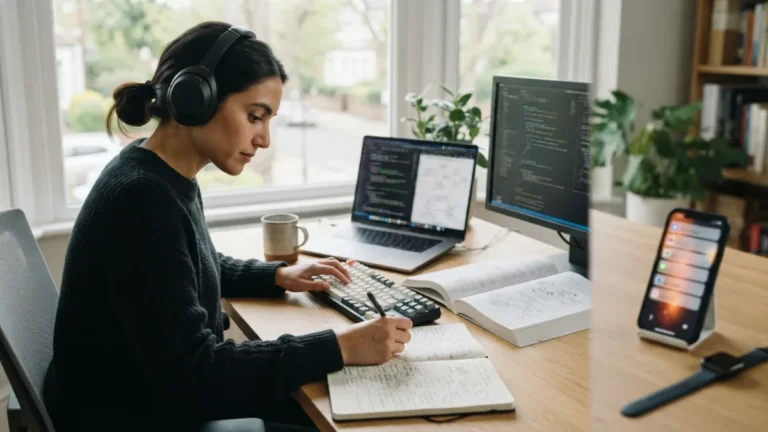
Break reminder apps are handy because they run quietly in the background and nudge you at set intervals. Many let you choose the length of each break and snooze an alert when you’re mid-call. But you don’t have to download anything. A phone timer, a smartwatch buzz, a kitchen timer, or a repeating calendar event can do the same job. Whatever you choose, test it for a week. If the alert is too easy to ignore, make it louder or move the device across the room. If it keeps interrupting you at bad moments, widen the interval. Your movement timer routine will succeed or fail on this choice, so keep the setup free of extra taps and menus. Every extra step gives you a reason to skip the break.
Pomodoro technique alternatives for long remote days
The classic Pomodoro Technique pairs 25 minutes of work with a five-minute break. It suits many people, but not everyone. If you write, code, or design, 25 minutes can feel like being pulled out of the water just as you start swimming. If your calendar is full of calls, a fixed cycle may not fit at all. The table below compares a few common patterns. Pick one as your base, then layer the others on top. The goal isn’t a perfect schedule. It’s a pattern you can still follow on a bad day, and whichever one you choose, your movement timer routine should fit around your work, not fight it.
| Pattern | Work block | Break | Works well for |
|---|---|---|---|
| Classic Pomodoro | 25 minutes | 5 minutes | Busy inboxes, small tasks, getting started |
| Longer focus block | 50 minutes | 10 minutes | Writing, coding, design, deep work |
| Top-of-the-hour reset | About 55 minutes | A few minutes | Meeting-heavy days with fixed start times |
| Eye-rule layer | Every 20 minutes | 20 seconds | Any screen work, added on top of another pattern |
Your movement timer routine: 7 easy breaks
Each break below takes between 20 seconds and five minutes. Rotate through them in order, or pick the one that fits the moment. If you feel pain, dizziness, or anything unusual, stop and check with a health professional.
Break 1: The eye strain break rule (20-20-20)
This is the easiest break to start with. Every 20 minutes, look at something about 20 feet (6 meters) away for at least 20 seconds. A window works well, and so does the far wall of your living room. Hours of screen time can leave your eyes dry and tired, a pattern often called computer vision syndrome. While you look away, blink slowly a few times and let your shoulders drop. This break needs no space and almost no effort, so it’s perfect for the middle of a call when you can’t stand up. This connects closely with another common issue — see The Perfect Morning Routine for Remote Workers (Step-by-Step) for more on that.
Break 2: Desk stretches at home
Tight necks, wrists, and hips are the usual victims of long laptop days, so aim your stretches there. Try this mini-sequence:
- Neck: tilt your ear toward your shoulder and hold for 15 seconds on each side.
- Chest: clasp your hands behind your back, lift them gently, and open your chest.
- Wrists: extend one arm with the palm up, then press your fingers down softly with the other hand.
- Hips: stand, step one foot back, and ease into a light hip stretch.
Move slowly, breathe normally, and never push into pain.
Break 3: Posture reset exercises
These moves undo the slump that creeps in after an hour at a laptop. You don’t need to sit like a statue. You need to change position often. Roll your shoulders back ten times, then squeeze your shoulder blades together for five seconds and repeat five times. Next, stand with your back against a wall and see whether your head, upper back, and hips can touch it comfortably. Finish by sitting down again with your feet flat on the floor and your screen near eye level. If your laptop sits low, a stack of books and a separate keyboard can make a real difference.
Break 4: Standing desk movement ideas
You don’t need a standing desk for these; a kitchen counter or a tall shelf works too. Standing still for hours brings its own aches, so the goal is to change positions, not to lock into one. Try these:
- Shift your weight slowly from one foot to the other.
- Do ten calf raises.
- March in place for 30 seconds during a phone call.
- Pace the room while you read a document or listen to a meeting.
Alternate sitting and standing blocks, and let the timer tell you when to switch. You might also find our article on Weekly Planning Ritual: 7 Easy Steps for Remote Workers helpful here.
Break 5: The water-and-walk lap
Fill your glass or mug, then take a full lap of your home before you sit down again. Walk the long way, past the window and around the dining table. Two minutes is plenty. This break works well after a meeting because it turns a small chore into a movement habit. Leave your phone at your desk so the pause doesn’t turn into scrolling. If you live in a tiny space, walk a few laps around the room, or step outside to check the mail.
Break 6: A one-minute breathing pause
Not every break has to raise your heart rate. Sit or stand tall, place a hand on your belly, and breathe in through your nose for four counts. Then breathe out slowly for six. Repeat for about a minute. Unclench your jaw, drop your shoulders, and let your hands go loose. This break helps before a tough conversation or after a long stretch of email, when your body feels tense even though you haven’t moved. Nobody on a video call will notice, so you can use it any time.
Break 7: The five-minute walk
Once or twice a day, swap a short break for a longer one. Walk around the block, climb a few flights of stairs, or pace the hallway during an audio-only call. Five minutes of walking gets your legs and heart working in a way that stretches can’t. It also gives your brain a change of scene, which helps when you’re stuck on a problem. Schedule it at a natural lull, like mid-morning and mid-afternoon, and treat it as seriously as a meeting. If you have a health condition or ongoing pain, ask your doctor which kinds of movement suit you.
A sample movement timer routine for an eight-hour day
Layering your timers keeps the plan simple. Here is one way to build your day, and you can shift the times to match your own schedule:
- Every 20 minutes: a 20-second eye reset (Break 1).
- Every 50 minutes: a two-minute stretch, posture reset, or standing break (Breaks 2 to 4).
- After each meeting: a water-and-walk lap or a breathing pause (Breaks 5 and 6).
- Mid-morning and mid-afternoon: a five-minute walk (Break 7).
On a heavy meeting day, trim the plan. Even a stripped-down movement timer routine, such as the eye reset plus one stand-up break an hour, beats an ambitious schedule you abandon on Tuesday. Try keeping a simple tally of your breaks on a sticky note for a week. You’ll quickly see where the routine holds up and where it falls apart. For a related walkthrough, check out Remote Work Daily Schedule Template for a Focused 8 Hour WFH Day.
Start small and let the timer do the work
You don’t need to overhaul your day to feel better at your desk. Pick one timer, choose two or three breaks from the list, and run them for a week. Then adjust. Maybe the eye reset sticks right away, while the five-minute walk needs a firmer slot in your calendar. That’s normal. A movement timer routine isn’t a test you pass or fail. It’s a habit you tune until it fits your work, your space, and your energy. Long remote days will always ask a lot of your body, but a few well-timed minutes can give some of that energy back.
Frequently asked questions about the movement timer routine
What is a movement timer routine?
It’s a repeating schedule of short breaks, set by a timer, that gets you out of your chair or moving your body during the workday. Each break has a clear action, such as a stretch, a lap of the house, or an eye reset.
How often should I take a break while working from home?
There’s no single perfect interval. Many people do well with a quick eye break every 20 minutes and a longer movement break every 50 to 60 minutes. Start there and adjust to your tasks and meetings.
Do I need a standing desk to follow this routine?
No. A kitchen counter, a shelf, or simply standing up from your chair works. The key is changing position regularly, not owning special furniture.
Will frequent breaks hurt my productivity?
Short breaks are small enough that most people return to work quickly. If a break feels disruptive, shorten it or move it to a natural pause, like the end of a task or meeting.
What if I keep ignoring the timer?
Make the reminder harder to dismiss, place the device out of arm’s reach, or attach each break to an existing trigger, like finishing a call. Start with just one or two breaks a day and build from there.