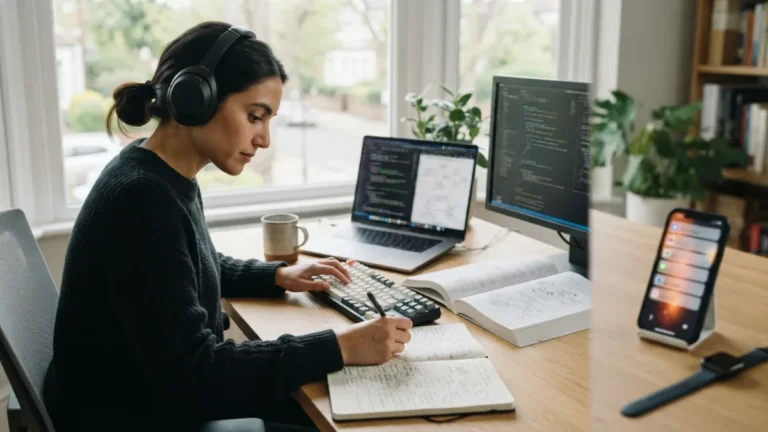
Distraction Free Focus Block: 7 Easy Steps Around Meetings
Your calendar shows a free hour. Then a video call runs ten minutes over, a chat message pops up, and the hour is gone before you open the document you meant to write. A distraction free focus block can stop that slide, but only if you build it around your meetings, not between random gaps. The goal is simple: protect a stretch of time where your best thinking can happen, and make that time hard to break. This guide walks you through seven practical steps. You can start today, and you do not need special software or a boss who agrees to rebuild the whole office schedule.
Why video meetings leave your brain scattered
Attention residue after meetings is the part of your mind that stays stuck on the last call while you try to start something new. You close the video window, but you are still replaying a comment, a decision, or an awkward silence. Researchers use the term “attention residue” for this effect, and most of us know the feeling even without the name. It gets worse when you jump from one call to the next with no pause. Switching tasks all day also fits what is often called human multitasking, which tends to make each task slower and more tiring. The fix is not to avoid meetings. It is to shape the time around them. If you want to dig deeper, our guide on Deep Work vs. Shallow Work: How to Protect Your Focus Time covers this in more detail.
Seven steps to build a distraction free focus block
You do not need to change your whole work life at once. Each step below solves one common problem, from messy calendars to noisy phones to teammates who message you the second you go quiet. Some steps take five minutes. Others need a short talk with your team. Read through the list, pick the two or three that fit your week best, and test them for a few days. Then add more. A distraction free focus block works best when it becomes a routine, not a one-time experiment that fades by Friday.
Step 1: Use calendar blocking tips that actually stick
Start by treating focus time like a real appointment. Open your calendar, find the gaps between meetings, and book at least one block of 60 to 90 minutes for your most demanding task. Name it clearly, such as “Draft budget report,” not just “Focus.” A specific label reminds you what to do and tells others the time is taken. This approach is close to timeboxing, where you give a task a fixed slot. Put your block where your energy is strongest, often in the morning. Mark it as busy, turn off auto-accept for new invites during that slot, and decline requests that land on top of it.
Step 2: Add buffer time between calls
Back-to-back meetings leave no room to breathe, so build buffer time between calls into your schedule. Ten to fifteen minutes is a good start. Many calendar tools let you set meetings to end a few minutes early, which gives you this space by default. Use the gap with purpose:
- Write down action items while they are fresh.
- Stand up, stretch, and drink some water.
- Close the old meeting tabs and notes.
- Read the goal of your focus block out loud or jot it down.
This short reset clears your head, so the next task gets your full attention. It also gives you a safety margin when a meeting runs long. This connects closely with another common issue — see Time Blocking for Remote Work: A Beginner's Guide for more on that.
Step 3: Silence phone notifications before you start
Your phone is the easiest way for the outside world to break into your work. Before a focus block begins, silence phone notifications, and do it on purpose, not by hope. Use Do Not Disturb or a focus mode, and allow calls only from a short list of people, such as family or your manager. Then move the phone out of arm’s reach, ideally into a drawer or another room. Out of sight really helps, because even a quick glance can pull you into messages and news. Do the same on your computer by closing email tabs and turning off pop-up banners. You can turn everything back on when the block ends.
Step 4: Set a Slack focus status your team can read at a glance
Colleagues cannot respect a boundary they cannot see. A clear Slack focus status solves this in seconds. If your team uses Slack, set a custom status with a short message and an end time, like “Deep work until 11:30, will reply after.” Pause notifications for the same period, so you are not tempted to peek. Agree with your team on what counts as urgent, and tell them how to reach you in a real emergency, perhaps by phone. Most people are happy to wait when they know exactly when you will be back. Other chat tools offer similar status options if you do not use Slack.
Step 5: Upgrade your home office video setup
Technical trouble is a hidden focus killer. If you spend the last ten minutes before a call fixing a frozen camera, your block is already damaged. A steady home office video setup removes that stress. Check a few basics once, then leave them alone:
- Place a lamp or desk near a window so light falls on your face.
- Raise your camera to eye level.
- Use headphones or a simple microphone for clear sound.
- Keep your charger, water, and notes within reach.
- Test your meeting app a day early after any update.
When your gear just works, you can slide from a call into deep work without scrambling. You might also find our article on Remote Work Daily Schedule Template for a Focused 8 Hour WFH Day helpful here.
Step 6: Protect focus time team-wide
Personal habits only go so far if everyone else treats your calendar as open space. To protect focus time team members need shared rules, not just good intentions. Raise it in your next team meeting and suggest a few simple agreements. Ask people to add an agenda to every invite. Encourage short, optional calls to become written updates. Let teammates know it is fine to decline meetings that clash with their blocks. Managers can help most by doing this themselves, since people copy what leaders do. Keep the tone friendly: you are not rejecting colleagues, you are making your replies better and faster later.
Step 7: Try meeting free hours
The last step is the boldest, and it can lift the whole team. Propose meeting free hours, a recurring window when nobody schedules calls. It might be every morning until 11:00, or one full afternoon each week. Start with a small trial of two or three weeks, then check what worked and what annoyed people. Expect a few exceptions, such as client calls in other time zones, and plan for them. If your company spans many regions, let each group choose its own window. When these hours become normal, a distraction free focus block stops being a personal favor and turns into a shared habit.
Make your focus block a habit, not a one-off
None of these steps is hard alone, but together they create real protection around your most important work. Block the time, add buffers, silence your phone, tell your team, fix your setup, and push for shared quiet hours. Expect some slip-ups in the first weeks. A meeting will land in your block, or you will check a message by reflex. That is normal. Adjust, try again, and keep what helps. After a month, look at what you finished and how you felt at the end of each day. A well-planned distraction free focus block will not remove every interruption, but it gives your best work a safe place to happen.
FAQ
What is a distraction free focus block?
It is a set period on your calendar, usually 60 to 90 minutes, when you work on one task without calls, chats, or phone alerts. You protect it with clear signals so others know you are unavailable. For a related walkthrough, check out Time Management Tips: 7 Proven Ways to Stay Organized.
How long should a focus block be?
Start with 60 to 90 minutes, since that is long enough for real progress but still manageable. If that feels too long, try 30 minutes and build up. Choose the length that fits your task and your energy.
How much time should I leave after a video meeting?
Ten to fifteen minutes works for most people. Use it to note action items, move around, and clear your head. For heavy or emotional meetings, you may want a little longer.
What if my job needs me to answer messages quickly?
Use shorter blocks and set clear rules for urgent issues. You can check messages at fixed times, such as between blocks, and give your team a phone number or keyword for real emergencies.
How do I convince my manager to support focus time?
Suggest a short trial and explain the benefit in simple terms: fewer interruptions and faster, better work. Offer to share what you finish during the trial, so your manager can judge the results.