Digital Detox Ideas: 7 Easy Ways for Remote Workers
It’s 6:47 p.m. Your laptop is closed, but your phone is still buzzing with a chat ping, and your eyes feel like sandpaper. If that sounds familiar, you need digital detox ideas that fit into real life, not a week in a cabin with no Wi-Fi. Remote workers don’t only use screens for work. They also use them to relax, shop, chat, and scroll the news, so the day can turn into one long glow of blue light. The good news is that you don’t need drastic steps. A few small, smart changes can give your brain and your body the break they’ve been asking for.
Why Remote Work Burnout Sneaks Up on You
Remote work burnout rarely arrives with a loud warning. It builds slowly when work, rest, and entertainment all happen on the same device. The World Health Organization describes burn-out as an occupational phenomenon that comes from chronic workplace stress that hasn’t been managed well. At home, that stress is easy to miss. The commute is gone. So is the walk to a meeting room, the lunch away from your desk, and the office door that closes at 5 p.m. Without those natural stops, you may keep answering messages at dinner and checking email in bed. A digital detox won’t fix a heavy workload, and it isn’t a cure-all. It can, however, restore the pauses your day has lost. If you want to dig deeper, our guide on Mental Health Check In: 5 Simple Steps for Remote Workers covers this in more detail.
Seven Digital Detox Ideas to Try This Week
The idea of stepping away from connected devices on purpose is not new, and Wikipedia’s overview of digital detox shows how many forms it can take. For remote workers, the best approach is practical. You can’t ignore your laptop for a day, so you need targeted habits. Here are seven you can start now, one at a time.
1. Reduce daily screen time with a simple budget
Start by looking, not judging. Both iPhone and Android phones show a weekly report of how long you use each app. Open it and find the hours that feel wasted, such as late-night scrolling or video clips you don’t remember. You can’t easily cut work hours, so aim at the leisure screens. Choose one small target, like 30 fewer minutes of social media a day, and set an app limit to help. The trick is to replace the habit, not just remove it. If you usually scroll while the coffee brews, put a book or a notepad on the counter instead. Small, specific swaps last longer than big promises.
2. Turn off work notifications you don’t need
Every ping pulls you out of what you’re doing, even if you only glance at it. Take ten minutes to turn off work notifications on your phone, especially for chat apps and email. Keep the ones that truly matter, such as a direct call from your manager. Then use your phone’s Do Not Disturb or focus mode to set a schedule that starts when your workday ends. Tell your team your usual hours, and agree on one way to reach you in a real emergency. Most “urgent” messages can wait until morning. When people know how you work, they usually respect it, and you’ll feel less like you’re always on call.
3. Set work from home boundaries you can see
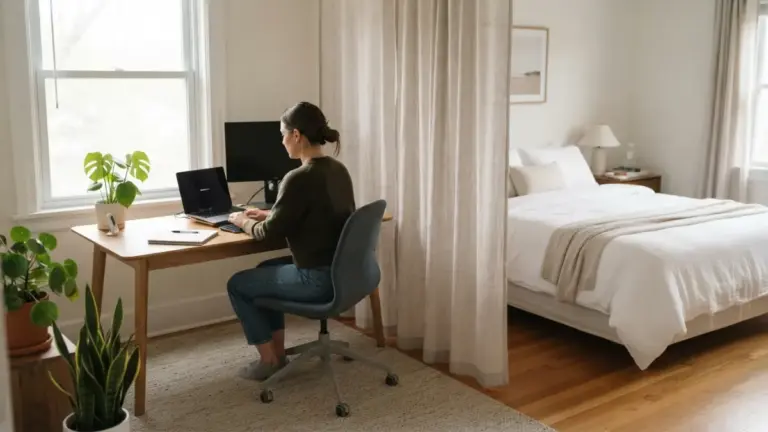
When your office is also your living room, you need physical signals that work is over. Work from home boundaries don’t have to be fancy. Use a dedicated desk or even one corner of the table, and keep work items there only. At the end of the day, close the laptop and put it in a bag or a drawer. If you can, avoid installing work apps on your personal phone, or at least log out after hours. A status message such as “Back at 9 a.m.” helps coworkers, too. These small visual cues tell your brain that the shift has ended, which matters when your commute is ten steps long. This connects closely with another common issue — see Remote Work Burnout: 7 Hidden Signs to Avoid Today for more on that.
4. Unplug after work with a shutdown ritual
Try to unplug after work in a way that feels like a clear finish line. A short shutdown ritual works well. Write down your top three tasks for tomorrow, close your tabs, and say out loud, “I’m done for today.” It sounds silly, but it helps your mind let go of unfinished business. Then take a “fake commute”: a ten-minute walk around the block, ideally without your phone. Many remote workers find that this short loop replaces the mental switch they used to get on the train or bus. It also gets you away from the chair. Pick a time and repeat it daily, so your brain learns the pattern.
5. Build in digital eye strain relief
Long hours at a monitor can leave your eyes dry, tired, and sore. For digital eye strain relief, the American Academy of Ophthalmology shares practical tips for computer use, including the 20-20-20 rule. Every 20 minutes, look at something about 20 feet away for 20 seconds. Set a quiet timer if you forget. Blink on purpose, since people tend to blink less when staring at a screen. Check that your screen brightness matches the light in your room, and rest your gaze on a window when you can. If your eyes still hurt or your vision seems blurry, book an appointment with an eye doctor instead of guessing.
6. Create a screen free evening routine
A screen free evening routine doesn’t have to last all night. Start with 30 minutes and see how it feels. Choose a clear start time, put your phone on a charger away from the sofa, and do something simple: cook a real meal, take a shower, stretch, or read a paper book. Many people also find it helpful to charge the phone outside the bedroom and use a cheap alarm clock instead. Tell the people you live with so they can join you, or at least understand why you’ve gone quiet. After a week, try adding another 15 minutes. These digital detox ideas work best when they grow slowly and feel like a reward, not a punishment.
7. Pick up offline hobbies after work
The easiest way to stay off your phone is to have something better to do. Offline hobbies after work give your hands and mind a different kind of focus. Think of cooking, gardening, drawing, knitting, running, woodworking, or learning a musical instrument. Choose something with a physical result you can see, because it feels very different from a day of invisible tasks. Keep supplies where you’ll notice them, like a sketchbook on the table or running shoes by the door. A class or club also helps, since remote work can be lonely. You’ll get a break from screens and a chance to meet people face to face. You might also find our article on How to Stay Social When You Work From Home Full-Time helpful here.
How to Start Without Feeling Overwhelmed
You don’t have to do all seven things at once. In fact, trying to change everything usually leads to quitting by Friday. Treat these digital detox ideas like a menu, not a checklist. Here’s a simple way to begin:
- Pick one habit that feels easy, such as muting work chat after your last meeting.
- Test it for seven days and notice your mood, your sleep, and your focus.
- Keep, adjust, or swap it for another idea, then add a second habit.
If you slip, don’t quit. Everyone checks email at midnight once in a while. Just start again the next day.
A Calmer Workday Starts With One Small Change
Working from home gives you freedom, but it also removes the walls that used to protect your time. You can put some of them back, one habit at a time. Muting a few alerts, closing the laptop at a set hour, or walking around the block can change how your evenings feel. You don’t need to give up technology. You only need to decide when it serves you and when it doesn’t. Choose one idea from this list today, try it for a week, and see what shifts. Your future self, rested and a little less glued to a screen, will thank you.
Frequently Asked Questions
What are the best digital detox ideas for remote workers?
Start with small habits you can keep: turn off extra notifications, set a clear end-of-day ritual, take regular eye breaks, and create a short screen-free time in the evening. Hobbies away from screens also help. For a related walkthrough, check out Work Home Boundaries: 7 Simple Steps for Bedroom Desks.
Do I have to quit my phone completely?
No. A detox for remote workers is about limits, not total bans. You can keep your phone for calls, maps, and music while cutting back on the apps and alerts that drain your attention.
How long should a digital detox last?
It can be as short as 30 minutes each evening. Many people begin with a small daily break and extend it over time, or add a longer offline stretch on a weekend if it feels good.
What if my job requires me to be online all day?
Focus on the hours around your work. Set boundaries for the start and end of your day, take short breaks during it, and use focus modes after hours. Share your availability with your team so they know when to expect replies.
Can a digital detox prevent burnout?
It can help, but it isn’t a guarantee. Burnout is linked to workload and stress, so you may also need to talk with your manager about tasks and deadlines. If you feel constantly exhausted or low, consider speaking with a doctor or mental health professional.