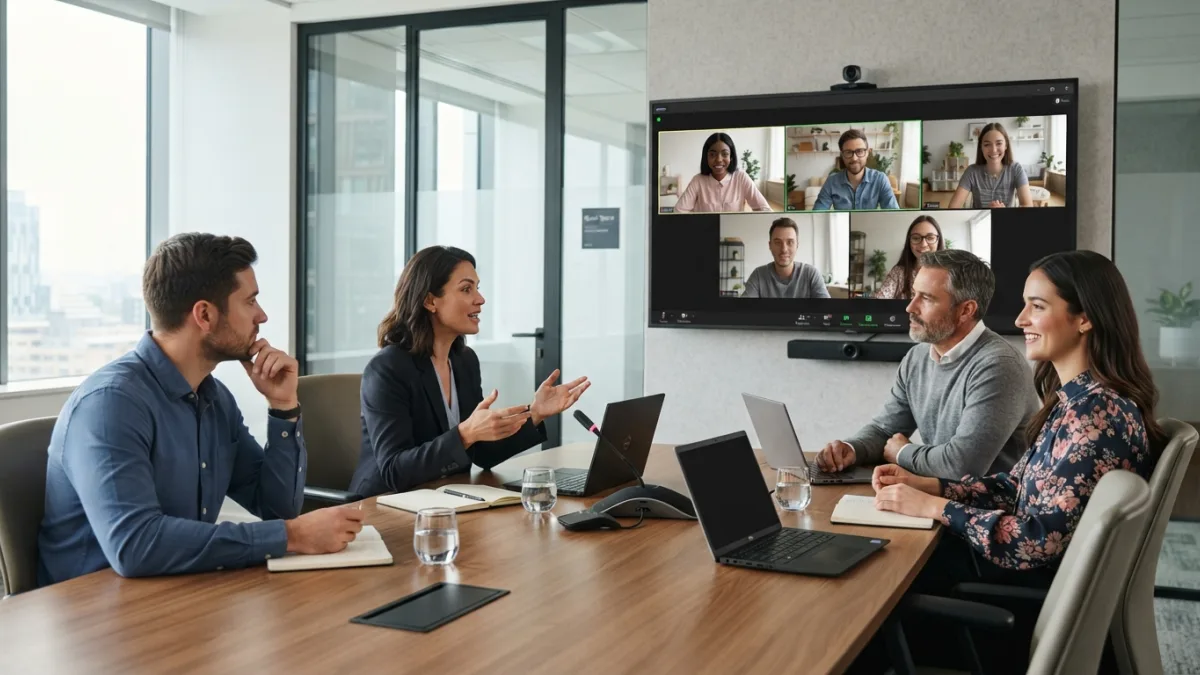
Hybrid Meetings: 7 Proven Tips for Remote and Office Teams
Picture the scene. Half the team sits around a conference table, laughing at a joke. The other half watches from tiny squares on a screen, wondering what they missed. Hybrid meetings promise flexibility, but without a plan they split a team into insiders and outsiders, and the people at home usually end up on the wrong side of that line.
The fix does not need a huge budget or a brand-new platform. It needs a few clear habits, some basic gear, and a leader who watches the screen as closely as the room. Below, you will find seven practical tips you can try at your very next meeting, plus answers to common questions at the end. If you want to dig deeper, our guide on Video Call Etiquette: Dos and Don'ts for Remote Meetings covers this in more detail. This is a common part of dealing with hybrid meetings, and it is worth keeping in mind.
Why Remote Proximity Bias Hurts Hybrid Meetings
Remote proximity bias is the habit of favoring people who are physically near us, often without noticing. In hybrid meetings, it shows up in small ways. Colleagues in the room get called on first. Side chats happen at the table while the remote voices wait. Ideas from the office sound sharper simply because they are easier to hear. Over time, this can shape who feels included and who feels forgotten. It can also affect who gets noticed for good work. Nobody does it on purpose, which is exactly why it lasts. The first step is to name it with your team. Once people know the pattern, they can spot it and correct it. The seven tips below are built to do just that. Many people run into this exact issue with hybrid meetings at some point.
7 Ways to Make Hybrid Meetings Work for Everyone
1. Invest in Reliable Hybrid Meeting Equipment
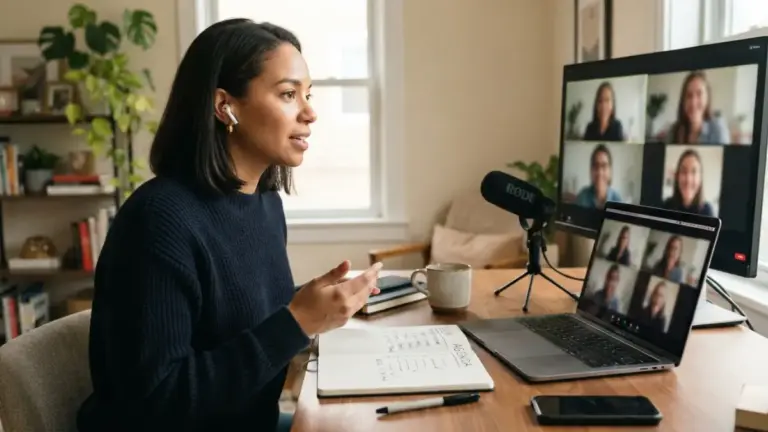
Bad sound ruins more meetings than bad ideas. If remote colleagues cannot hear the room, they stop trying. Start with audio, not video. A good conference microphone or speaker that picks up voices across the whole table matters more than a fancy screen. Add a display big enough to show remote faces at a readable size. Then test everything before the meeting starts. Echo and squealing noise often come from laptops and speakers sitting too close together, a problem known as audio feedback. The simple cure is one microphone and one speaker system per room, with extra laptops muted. Keep spare cables and a short setup checklist near the equipment so anyone can start a call in two minutes, not twenty. Keeping hybrid meetings in mind here will save you time later on.
2. Get Your Conference Room Camera Setup Right
A strong conference room camera setup lets remote people see faces, not the backs of heads. Place the camera at eye level, near the screen showing remote participants, so people in the room naturally look toward it when they talk. That small detail creates a feeling of eye contact. Make sure the camera captures everyone at the table, including those at the far end. Avoid sitting people with a bright window behind them, because they turn into dark shapes. Light the room evenly from the front or above. If your room is large, consider a camera that can follow the speaker automatically. Check the view before each meeting by joining the call from your own laptop and seeing what remote colleagues see. This connects closely with another common issue — see Remote Meeting Agenda Templates: 7 Proven Ways to Save Time for more on that. This detail matters more than it seems once hybrid meetings comes up again.
3. Choose Video Conferencing Tools Everyone Can Use
The best video conferencing tools are the ones your whole team can join without trouble. Popular options include Zoom, Microsoft Teams, and Google Meet, and most offer features that help hybrid groups: chat, hand raising, shared documents, and live captions. Pick one main platform and stick with it, so people do not hunt for links. Make sure remote guests and office staff can use the same features. For example, if the chat is where remote people ask questions, someone in the room must watch it. Learn the basics of videotelephony features such as screen sharing and muting, and share a short guide with new team members. Simple and familiar beats clever and confusing. It is one of those small things that makes hybrid meetings easier to manage overall.
4. Use a Meeting Agenda Template Built for Two Audiences
A good meeting agenda template keeps the conversation fair for people in both places. Send it at least a day ahead so remote colleagues can prepare, especially if they work in different time zones. A simple template can include: This is a common part of dealing with hybrid meetings, and it is worth keeping in mind.
- Goal: one sentence on what the meeting must achieve.
- Topics and time limits: who leads each item and for how long.
- Pre-reading: links to documents, shared before the call.
- Decisions needed: what the group must settle by the end.
- Next steps: who does what, and by when.
Put shared documents online so everyone edits the same file. A whiteboard that only the room can see leaves remote people guessing. You might also find our article on How to Avoid Meeting Overload When Working Remotely helpful here. Many people run into this exact issue with hybrid meetings at some point.
5. Agree on Hybrid Meeting Etiquette
Clear hybrid meeting etiquette removes awkward guesswork. Write a few simple rules and share them with the team. Everyone speaks one at a time, and nobody holds side conversations at the table. People in the room say their name before talking when remote colleagues cannot easily tell who is speaking. Keep cameras on when possible, but respect people who have bandwidth problems. Mute microphones when not speaking, and use the chat for quick comments. Treat remote participants as full members, not as an audience. One more rule helps a lot: if you bring a laptop into the room, wear headphones or leave it muted. Review these rules every few months, because teams and tools change. Keeping hybrid meetings in mind here will save you time later on.
6. Use These Hybrid Meeting Facilitator Tips
Every meeting needs someone steering it, and with a split group the job gets harder. Among the most useful hybrid meeting facilitator tips is to name one person whose main job is to watch the remote side. That person checks the chat, spots raised hands, and tells the speaker when audio drops. Start the meeting by asking remote colleagues to speak first, before the room warms up and takes over. When a discussion gets lively, slow it down and ask, “Anyone online want to add something?” Pause long enough for people to unmute. Rotate the facilitator role each week so the workload is shared. Finally, end by summing up decisions out loud so nobody leaves unsure. This detail matters more than it seems once hybrid meetings comes up again.
7. Engage Remote Participants on Purpose
You must plan how to engage remote participants, because it will not happen by accident. Give them real jobs: let a remote colleague lead a topic, take notes, or run a quick poll. Call on people by name instead of waiting for them to jump in, since interrupting through a screen is hard. Use short polls, chat questions, or a quick round of thoughts from everyone to keep attention high. Share your screen so all participants see the same slides at the same moment. Another smart move is to make the meeting feel equal by having everyone join from their own laptop for key discussions, even if some sit in the same building. That levels the field right away. For a related walkthrough, check out Fully Remote Teams: 7 Best Ways to Build Trust Fast. It is one of those small things that makes hybrid meetings easier to manage overall.
Make Hybrid Meetings a Team Habit
Great hybrid meetings are not about perfect technology. They are about fairness, preparation, and attention. Start small. Pick two or three tips from this list, test them for a month, and ask your team what changed. Remote staff will tell you quickly whether they feel heard, and office staff may notice that meetings run shorter and calmer. Keep adjusting as your team grows or moves. The goal is simple: whether someone joins from the boardroom, a kitchen table, or another country, they should have the same chance to be seen, heard, and taken seriously. When that happens, location stops mattering, and the work gets better. This is a common part of dealing with hybrid meetings, and it is worth keeping in mind.
Frequently Asked Questions
What is the biggest mistake in hybrid meetings?
Treating the room as the “real” meeting and remote people as guests. This shows up as poor audio, side chats, and ignored chat messages. Plan every meeting with the remote experience in mind first.
Should everyone join from their own laptop?
Not always. For short updates, a shared room setup works well. For discussions where everyone needs to speak, individual laptops (with one speaker and one microphone active) can make things more equal.
How can I help remote colleagues in different time zones?
Rotate meeting times so the same people do not always join late at night or very early. Share the agenda early, record key meetings when allowed, and send clear written notes afterward.
Do I need expensive equipment to run good hybrid meetings?
No. Clear audio, a camera that shows everyone, and a stable internet connection matter most. Start with a decent microphone and a simple camera, then upgrade only if problems remain.
How long should a hybrid meeting last?
Shorter is better. Staring at a screen is tiring, so aim for the minimum time needed. If a meeting runs long, add a short break so remote participants can rest their eyes and reset.

Ghani Mejber — Founder & Lead Editor
Ghani Mejber is the founder and lead editor of Remote Work Routine. Having navigated the transition to full-time remote work firsthand, Ghani tests home office ergonomics, time-blocking workflows, and productivity software to help remote professionals structure their days and avoid burnout.