Best Free Productivity Apps for Remote Workers
Working from your kitchen table or a co-working space sounds great until you realize how easy it is to lose track of tasks, deadlines, and messages scattered across five different apps. That’s where free productivity apps come in handy. Whether you’re a freelancer juggling multiple clients or part of a distributed team spanning three time zones, the right set of tools can turn a chaotic workday into a smooth, manageable routine. The good news is you don’t need an expensive software subscription to stay organized. Plenty of free productivity apps offer everything remote workers need, from task tracking to video calls, without costing a single dollar.
Why Free Productivity Apps Matter for Remote Workers
Remote work sounds flexible on paper, but it also removes the natural structure of an office environment. There’s no coworker tapping your shoulder to remind you about a meeting, and no manager walking by to check on progress. This lack of built-in accountability is exactly why remote work tools have become so essential over the past few years. A solid productivity app replaces those small office nudges with digital reminders, shared calendars, and visual task boards. It also helps separate work from personal life, which is trickier than it sounds when your office is ten steps from your bed. Choosing the right combination of apps can genuinely make the difference between a stressful, scattered week and one where everything just clicks into place. If you want to dig deeper, our guide on The Perfect Morning Routine for Remote Workers (Step-by-Step) covers this in more detail.
Best Free Productivity Apps for Task Management
Task management is usually the first thing remote workers try to fix, and for good reason. Without a clear list of what needs to get done, it’s easy to spend hours busy but not actually productive. Several task management software options offer generous free plans that cover most individual and small team needs. These tools let you break big projects into smaller steps, set due dates, and track progress visually, which makes a real difference when you’re managing multiple clients or projects at once.
Popular Free Task Management Tools
- Todoist – Great for simple to-do lists with recurring tasks and priority levels.
- Trello – A visual, card-based system that’s perfect for freelancers and small teams tracking multiple projects.
- ClickUp – Offers a generous free tier with task lists, docs, and basic time tracking combined.
- Asana – Ideal for teams that need shared project timelines and task dependencies.
Each of these tools has its own strengths, so the best choice depends on how visual or list-based you prefer your workflow to be. Trello’s drag-and-drop boards suit people who think in categories, while Todoist works better for those who just want a straightforward daily checklist.
Time Management Apps to Stay on Track
Staying focused when nobody’s watching is one of the hardest parts of working remotely. This is where time management apps really shine, helping you understand where your hours actually go instead of where you assume they go. Many remote workers are surprised to discover how much time disappears into email or unplanned breaks once they start tracking it seriously. Apps like Toggl Track offer a free version that logs hours across projects and clients with just one click, which is especially useful for freelancers who bill by the hour. Clockify is another strong free option, offering unlimited time tracking even on its no-cost plan, something not every competitor provides. Pairing a time tracker with a simple technique, like working in focused 25-minute blocks, can noticeably improve concentration during long, unstructured workdays.
Communication and Collaboration Tools for Remote Teams
No matter how organized your personal task list is, remote work still depends heavily on clear communication with colleagues and clients. This is where the best apps for remote teams tend to focus most of their features. Slack remains a favorite for quick messaging and channel-based conversations, and its free plan covers most small team needs, even though message history is limited. Zoom’s free tier still handles video calls reasonably well for shorter meetings, making it a go-to choice for quick check-ins. Google Workspace’s free tools, including Docs, Sheets, and Meet, allow real-time collaboration on documents without anyone needing to email files back and forth. Microsoft Teams also offers a capable free version, particularly useful for teams already familiar with the Office ecosystem. Together, these tools eliminate most of the friction that used to come with working across different locations.
Note-Taking and Organization Apps
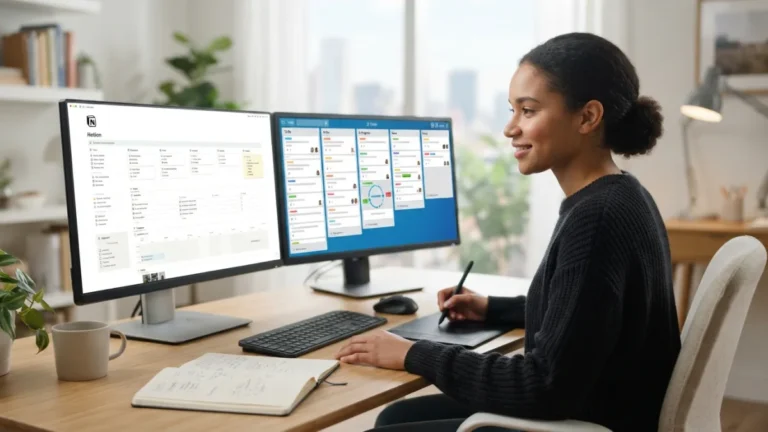
Ideas, meeting notes, and random reminders tend to pile up fast when you’re working independently, and losing track of them can be costly. Notion has become one of the most talked-about free productivity apps for good reason, since it combines notes, databases, and simple project boards in one flexible workspace. Evernote’s free plan still works well for straightforward note-taking, syncing across a couple of devices so you’re never stuck without your notes. Google Keep offers a lighter, faster option for quick reminders and short lists, which suits people who don’t need anything fancy. The right note-taking app often comes down to personal preference rather than raw features, so trying a couple for a week or two is a reasonable way to decide what actually fits your habits.
Comparing the Top Free Productivity Apps
With so many options available, it helps to see how the leading free productivity apps stack up against each other in terms of core features. The table below offers a quick snapshot to help you decide which tools might suit your specific work style and team size. This connects closely with another common issue — see How to Set Up a Home Office in a Small Apartment for more on that.
| App | Best For | Key Free Feature | Limitation |
|---|---|---|---|
| Trello | Visual task management | Unlimited personal boards | Limited automation on free plan |
| Todoist | Simple daily to-do lists | Recurring tasks and reminders | Limited number of active projects |
| Slack | Team communication | Channel-based messaging | 90-day message history limit |
| Notion | Notes and project docs combined | Flexible workspace pages | Learning curve for new users |
| Clockify | Time tracking | Unlimited free time tracking | Fewer reporting options than paid tier |
Tips for Choosing the Right Work From Home Apps
Downloading every app you hear about isn’t the answer, since juggling too many tools often creates more clutter than it solves. Instead, think about your actual daily routine before committing to any new work from home apps. If your biggest struggle is remembering deadlines, start with a task manager rather than adding a complicated all-in-one platform. If communication gaps are your main issue, focus on getting your team comfortable with one chat tool before introducing anything else. It’s also smart to check whether an app works well on both desktop and mobile, since remote work often means switching between devices throughout the day. Finally, give any new tool at least a week before judging it, because habits take a little time to form, and first impressions can be misleading.
It’s also worth considering how these tools integrate with each other. Many task managers now connect directly with calendar apps, chat platforms, and cloud storage, which saves you from manually copying information between systems. A little upfront research into integrations can save hours of frustration later, especially once your workflow becomes more established. Ultimately, the goal isn’t to collect the most impressive list of apps, but to build a simple, reliable system that actually gets used every single day.
Frequently Asked Questions
What are the best free productivity apps for beginners working remotely?
Todoist and Trello are both excellent starting points because they’re simple to learn and don’t require setting up complex systems before you can use them effectively.
Can free productivity apps really replace paid versions?
For individuals and small teams, yes, in most cases. Paid plans usually add extras like advanced reporting or higher storage limits, but the free versions of most tools cover essential daily needs.
Which app is best for remote teams that need constant communication?
Slack and Microsoft Teams are both strong choices, offering free plans that support channel-based messaging, file sharing, and video calls for smaller groups.
Do free time management apps track billable hours accurately?
Yes, tools like Clockify and Toggl Track offer accurate time logging on their free tiers, making them reliable for freelancers who need to bill clients by the hour.
How many productivity apps should a remote worker actually use?
Most people do best with three to four core tools covering tasks, communication, time tracking, and notes. Adding more than that often creates unnecessary complexity rather than solving problems.