Remote Work Tool Stack: 7 Best Free Picks for 2026
Freelancing solo often means watching every dollar, and building a remote work tool stack shouldn’t require draining your savings before you land your first client. The good news for 2026 is that some of the sharpest software on the market still costs nothing, as long as you know which apps actually deliver value at the free tier. This guide walks through seven tools that cover communication, project tracking, time management, file storage, and getting paid, all without a subscription fee attached. Whether you’re a writer, designer, developer, or virtual assistant, this lineup gives you a complete workflow from the first client email to the final invoice.
Why Solo Freelancers Need a Smart Remote Work Tool Stack in 2026
Working alone has real perks, but it also means you’re the IT department, the project manager, and the accountant all at once. A scattered mix of apps leads to missed deadlines, lost files, and awkward client conversations about invoices that never arrived. The concept of remote work has matured enough that free tools now rival paid ones in features, especially for someone managing just a handful of clients rather than a large team. Picking the right combination of remote work apps early on saves hours every week and makes you look more professional than your rates alone might suggest. A thoughtful solo freelancer workflow, built on tools that talk to each other, is often the real difference between a stressful year and a sustainable one. If you want to dig deeper, our guide on Best Free Productivity Apps for Remote Workers covers this in more detail.
The 7 Best Free Tools for Solo Freelancers
1. Slack for Client Communication
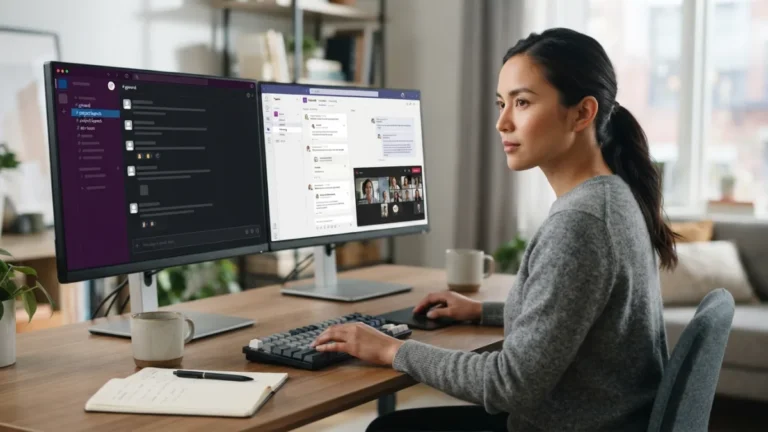
Email still has its place, but many clients now expect faster back-and-forth, and Slack’s free plan handles that nicely. You get searchable message history, direct channels for each client, and integrations with calendar and file-sharing apps, all without paying a cent. The free tier does limit how far back you can search old messages, but for most solo operators juggling two or three active clients, that’s rarely a dealbreaker. Setting up a dedicated channel per project keeps conversations organized instead of buried in a crowded inbox. It also signals to clients that you run things like a real business, not a side hustle managed entirely through text messages and hope.
2. Google Meet for Video Calls
Video calls remain the backbone of remote client relationships, and Google Meet continues to be one of the most reliable free options available. There’s no software to install if the client already has a Google account, and the free version supports meetings long enough for most check-ins, kickoff calls, or portfolio reviews. Screen sharing works smoothly, which matters a lot when you’re walking a client through a design mockup or a spreadsheet of deliverables. Compared to some competitors that cap free calls at 40 minutes, Meet gives solo freelancers a bit more breathing room for those calls that always seem to run long. It’s simple, it’s familiar, and clients rarely need instructions to join.
3. Trello for Project and Task Management
Among free project management tools, Trello still holds up well for anyone who prefers visual boards over complicated dashboards. You can create a board per client, use lists for “To Do,” “In Progress,” and “Delivered,” and drag cards across stages as work moves forward. The free plan allows unlimited personal boards and enough automation through its Butler feature to save real time on repetitive tasks like moving cards or setting due dates. For a solo freelancer workflow, this kind of simplicity beats overloaded project management platforms built for twenty-person teams. Clients can even be added as guests to specific boards, giving them visibility into progress without cluttering their inbox with status update emails. This connects closely with another common issue — see Notion vs. Trello: Which Is Better for Remote Work? for more on that.
4. Notion for Notes, Docs, and Client Records
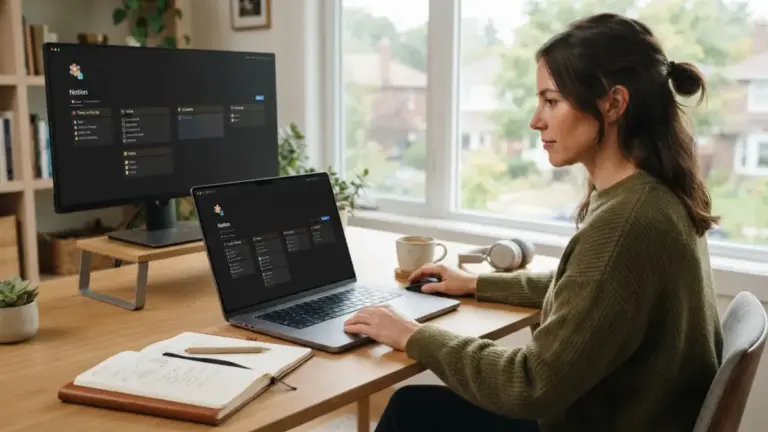
Notion’s free plan has become something of a Swiss Army knife for freelancers who need one place to store client notes, contracts, brand guidelines, and personal to-do lists. It combines documents, simple databases, and wikis into a single workspace that’s flexible enough to fit almost any niche, from copywriting to web development. Templates built by other freelancers are widely shared online, so setting up a client tracker or invoice log takes minutes rather than hours. The free tier does cap file uploads at a modest size, but for text-based records and planning, that limit rarely causes problems. Many solo operators use it as their entire business hub, replacing three or four separate apps with one connected workspace.
5. Toggl Track for Time Tracking
Whether you bill hourly or just want to understand where your hours actually go, Toggl Track’s free plan offers a clean, distraction-free way to log time. A single click starts a timer, and reports break down hours by client or project at the end of the week, which makes invoicing far less guesswork. It runs as a browser extension, desktop app, or mobile app, so tracking time stays consistent no matter where you’re working from that day. For freelancers who undercharge because they lose track of actual hours spent, this kind of visibility alone can pay for itself many times over, even though the app itself costs nothing.
6. Google Drive for Storage and File Sharing
Fifteen gigabytes of free storage might sound modest, but for most solo freelancers working mainly with documents, spreadsheets, and moderate-sized image files, it covers a surprising amount of ground. Google Drive integrates directly with Docs, Sheets, and Slides, meaning collaborative editing with clients happens in real time without anyone needing to download extra software. Shared folders per client keep contracts, drafts, and final deliverables organized in one predictable place, which matters when a client asks for a file from six months ago. Version history also protects against the classic disaster of accidentally overwriting a finished draft, a feature that’s saved more than a few freelancers from an awkward apology email. You might also find our article on The Best Focus Apps to Block Distractions at Home helpful here.
7. Wave for Invoicing and Basic Accounting
Getting paid on time is arguably the most important part of freelancing, and Wave offers free invoicing along with basic bookkeeping that many paid competitors charge monthly fees for. You can create professional-looking invoices, track expenses, and see a simple overview of income without touching a spreadsheet formula. Payment reminders reduce the awkwardness of chasing late clients, since the system sends them automatically rather than requiring an uncomfortable follow-up message. For freelancers still figuring out tax season, having income and expenses already organized in one dashboard makes that process noticeably less painful. It’s not built for complex multi-employee businesses, but for a solo operation, it does exactly what’s needed.
Quick Comparison: Best Tools for Freelancers 2026
Seeing these tools side by side makes it easier to decide where each one fits into your daily routine. The table below summarizes what each app is best suited for and where the free plan’s limits typically show up.
| Tool | Best For | Main Free Plan Limit |
|---|---|---|
| Slack | Client messaging | Limited message history search |
| Google Meet | Video calls | 60-minute group call limit |
| Trello | Task and project tracking | Limited automation runs per month |
| Notion | Notes and client records | Smaller file upload size |
| Toggl Track | Time tracking and billing | No team features on free tier |
| Google Drive | File storage and sharing | 15 GB total storage |
| Wave | Invoicing and bookkeeping | No payroll on free plan |
Turning These Apps Into a Real Solo Freelancer Workflow
Owning seven apps means nothing if they don’t connect into an actual daily rhythm. A workable routine might look like this: check Slack for client updates first thing in the morning, glance at your Trello board to see what’s due, and start a Toggl timer before diving into the work itself. Notes, contracts, and reference material live in Notion, while finished files get shared through a Google Drive folder set up per client. At the end of the week, Toggl’s reports feed directly into a Wave invoice, closing the loop from work performed to payment requested. This kind of connected remote work tool stack turns freelancing from a juggling act into something closer to a repeatable system, which frees up mental energy for the actual work clients are paying for. For a related walkthrough, check out How to Use Time-Blocking Apps to Stay on Track.
Final Thoughts
None of these tools require a credit card, a trial period, or a sales call, which matters when you’re building a freelance business from the ground up. Free plans do come with limits, and at some point, as client volume grows, upgrading a tool or two might genuinely pay off. But for 2026, a solo freelancer can realistically run an entire operation, from first client message to final payment, using nothing but the free tiers of well-established remote work apps. Start with two or three tools rather than all seven at once, get comfortable with the workflow, and add the rest as your client list grows. The right project board paired with consistent time tracking and clean invoicing often matters more than any fancy paid software ever could.
Frequently Asked Questions
Do I really need all seven tools to freelance successfully?
No. Many freelancers start with just three or four, typically a communication app, a task tracker, and an invoicing tool, then add the rest as client work becomes more complex.
Are free plans reliable enough for professional client work?
Yes, for most solo freelancers. Free tiers of Slack, Trello, Toggl, and similar apps are stable and widely used by professionals, though heavy users may eventually hit storage or feature limits.
What’s the biggest limitation of a fully free remote work tool stack?
Storage caps and automation limits are the most common issues. As client volume grows, some freelancers eventually upgrade one or two tools while keeping the rest free.
Can these tools replace a dedicated project manager or accountant?
They can handle the basics well, but for complex tax situations or large multi-client operations, consulting an actual accountant is still worth the investment.
Which tool should a brand-new freelancer set up first?
Start with a task manager like Trello and an invoicing tool like Wave. Getting organized and getting paid correctly matter more early on than having every app in place.