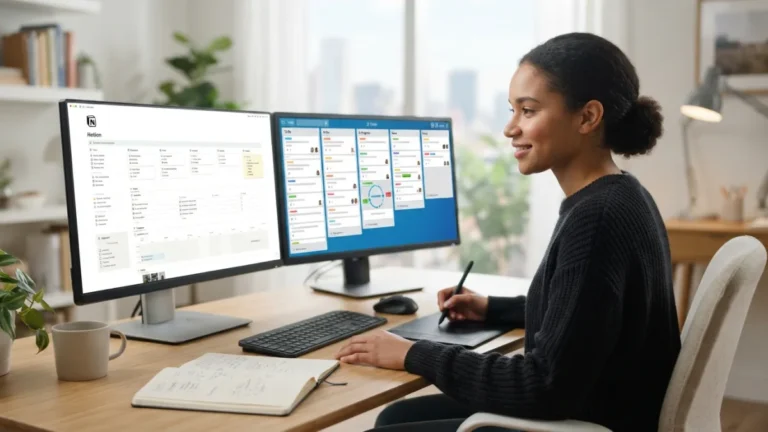
Task Management Tools: 7 Best Options for Freelancers
It is Monday morning, and three clients have already written to you. One needs edits by noon, another wants a quote, and a third sent a file with no instructions. The right task management tools can turn that mess into one clear list. This guide walks through seven popular options, from light to-do apps to full project platforms, and explains who each one suits and where it can slow you down. Features and prices change often, so check each company’s website before you commit to a paid plan.
What freelancers need from task management tools
Managing multiple clients means switching context all day. Each client has its own deadlines, files, tone, and habits, and no one can hold all of that in their head. A basic to-do list gets long and flat, so urgent work ends up hiding next to tiny chores. Freelancers also work alone, so nobody else will catch a missed date. A good tool does three jobs. It shows what is due next, keeps each client’s work separate, and lets you capture a new request in seconds. Before you pick one, think about how you really work. Do you prefer visual boards or plain lists? Do clients need to see your progress, or only the final file? If you want to dig deeper, our guide on AI Productivity Tools: 7 Best Picks for Remote Workers covers this in more detail. This is a common part of dealing with task management tools, and it is worth keeping in mind.
Here is a short checklist to keep in mind as you compare options: Many people run into this exact issue with task management tools at some point.
- A clear view of every deadline across all your clients
- Separate spaces, labels, or boards for each client
- A fast mobile app for capturing requests on the go
- Reminders and recurring tasks for repeat work
- A free plan or fair price while your income is uneven
The 7 best task management tools for freelancers
Remote work productivity apps come in every shape and size, so this list mixes simple and powerful choices. None of these task management tools is perfect for everyone. The best one is the app you will open every single morning, so think about your own habits as you read. Keeping task management tools in mind here will save you time later on.
1. Trello: simple boards you can read at a glance
Kanban boards for freelancers are one of the easiest ways to see a whole workload, and Trello is the best-known example. You create a board for each client, or one board for everyone, then move cards across columns such as To Do, Doing, and Done. The idea comes from Kanban, a method that began in Toyota’s factories, and Wikipedia has a helpful overview of its history. Trello offers a free plan, and setup takes only a few minutes. The weak spot is scale. Boards get crowded when you have dozens of cards, and reporting is basic. It suits visual thinkers with straightforward workflows. This detail matters more than it seems once task management tools comes up again.
2. Asana: strong lists, timelines, and due dates
A client deadline tracker only works if you can see dates across every project, and Asana handles that well. You can view tasks as a list, a board, or a calendar, and you can add due dates, subtasks, and reminders. Of all the task management tools here, it feels the most polished for planning work with several steps, such as a website build or a content series. Asana has a free plan, though some advanced features sit behind paid tiers. It can feel like too much if all you need is a daily checklist. This connects closely with another common issue — see Best Free Productivity Apps for Remote Workers for more on that. It is one of those small things that makes task management tools easier to manage overall.
3. ClickUp: one workspace for tasks, docs, and timers
Freelance project tracking software should grow with your business, and ClickUp is built to be customized. You can see work as lists, boards, or calendars, write documents, and track time inside the same app. It also has a free plan. The catch is the learning curve. There are so many settings that new users often feel lost. Start with one simple setup, then add features only when you truly need them. ClickUp fits freelancers who want everything in one place and don’t mind spending an afternoon on setup. This is a common part of dealing with task management tools, and it is worth keeping in mind.
4. Notion: a flexible home for notes and tasks
Notion mixes notes, documents, and databases, so you can keep client briefs, meeting notes, and task lists side by side. You can build a task database and view it by client, status, or due date. Templates help you get started, and a free plan is available for personal use. Among all the task management tools on this list, Notion is the most flexible, but that freedom has a cost. You must design your own system, and its reminders are not as sharp as those in dedicated task apps. Pick it if you enjoy building your own setup. Many people run into this exact issue with task management tools at some point.
5. Todoist: a fast, light list for daily work
Free task manager apps are ideal when you are just starting out, and Todoist is a solid pick. Its free plan covers the basics. You can type something like “send invoice Friday” and the app reads the date for you. It also supports recurring tasks and runs on most devices. Use projects or labels to separate your clients. Todoist is not designed for complex shared projects, so think of it as a personal daily list. Many freelancers pair it with a heavier tool for big jobs. Keeping task management tools in mind here will save you time later on.
6. Basecamp: made for working with clients
Client communication tools matter as much as your task list, and Basecamp puts both in one place. Each project has to-dos, message boards, schedules, and files, and you can invite clients to join. That can cut down long email chains and lost attachments. Basecamp takes a more fixed approach than ClickUp or Notion, which some people find refreshing and others find limiting. It works well if clients like having one clear page to check. Look at the current pricing before you decide, because plans for individuals and teams have changed over time. You might also find our article on Focus Timer Apps: 7 Best Picks for ADHD Remote Workers helpful here. This detail matters more than it seems once task management tools comes up again.
7. monday.com: colorful boards with automation
monday.com offers visual boards, dashboards, and automation that can handle repeat steps, such as notifying you when a task changes status. It is a good fit for freelancers who run a small studio or work with subcontractors, because it makes shared work easy to follow. For a solo worker, it may be more than you need. Compare which features sit in which plan before you start building boards, since it is annoying to set up a system and then find a key feature locked away. It is one of those small things that makes task management tools easier to manage overall.
Quick comparison of the seven tools
If you want a fast summary, this table shows where each of the task management tools shines and what to watch for. This is a common part of dealing with task management tools, and it is worth keeping in mind.
| Tool | Best for | Main strength | Watch out for |
|---|---|---|---|
| Trello | Visual thinkers | Simple card boards | Crowded boards, basic reports |
| Asana | Multi-step projects | Due dates, timelines, views | Can feel heavy for small lists |
| ClickUp | All-in-one setups | Tasks, docs, and timers together | Steep learning curve |
| Notion | Custom systems | Notes and databases combined | Needs setup time |
| Todoist | Daily personal lists | Speed and easy date entry | Limited for complex projects |
| Basecamp | Client-facing projects | Messages and tasks in one place | Less flexible structure |
| monday.com | Small teams and studios | Visual boards and automation | May be too much for solo work |
Time tracking for freelancers: the habit that protects your income
Even the best task management tools only tell you what to do, not how long it takes. That is why tracking your hours matters. When you log time per client, you learn which projects pay well for the effort and which ones quietly eat your week. ClickUp includes a built-in timer. With other tools, you can add a dedicated app such as Toggl alongside your task list. Track for a few weeks, then compare your estimates with reality. Many freelancers discover they undercharge for work that drags on, and the numbers give you a solid reason to raise your rates or tighten your scope. Many people run into this exact issue with task management tools at some point.
How to choose and set up your system
Don’t choose by feature list alone. A tool with fifty features is useless if you stop opening it after a week. Treat your first choice as a test, not a lifetime commitment, and follow these steps: For a related walkthrough, check out Automating Remote Work Tasks: 7 Easy Zapier Workflows.
- Look back at the last month of client work and note where deadlines slipped or requests got lost.
- Pick two tools from the list and test each one for a week with real tasks.
- Use the same structure for every client, with the same columns, labels, or status names.
- Set a weekly review, such as Friday afternoon, to check next week’s deadlines and update clients.
Consistency matters more than the app itself. A simple system you follow beats a clever one you abandon.
Final thoughts
Freelancing gives you freedom, but it also puts every deadline on your shoulders. The right task management tools won’t do the work for you, yet they can make busy weeks feel manageable and keep small slips from turning into lost clients. Start small. Try Trello or Todoist if you want speed, or ClickUp and Asana if your projects are more complex. Add client-facing features and time tracking as your business grows. Give any tool a fair week, then keep what works and drop what doesn’t. Your future self, staring at a calm Monday inbox, will thank you.
FAQ
What are the best task management tools for freelancers?
Trello, Asana, ClickUp, Notion, Todoist, Basecamp, and monday.com are all strong choices. Trello and Todoist are the easiest to learn, while ClickUp and Asana handle bigger projects. The best pick depends on how many clients you have and how visual you like your plan to be.
Are free plans enough for a freelancer?
Often, yes. Trello, Asana, ClickUp, Notion, and Todoist all offer free plans, and many solo freelancers never need more. Upgrade only when you hit a real limit, such as missing views, automation, or sharing features.
Should I use one board for all clients or one per client?
It depends on volume. With a few small clients, one board with labels is simpler. If each client has several ongoing projects, separate boards or projects keep things cleaner and make it easier to share progress.
Can I track time and tasks in the same app?
Yes, with some tools. ClickUp has built-in time tracking. Other task management tools work well alongside a separate timer app, so you can pick whichever combination feels natural.
How often should I review my task list?
Check it briefly every morning and do a longer review once a week. The daily look keeps you focused on what is due next. The weekly review helps you plan ahead, spot overloaded days, and update your clients before they have to ask.